
video-agent-skill
💡 Summary
A comprehensive AI content generation suite offering multiple models for text, image, and video processing.
🎯 Target Audience
🤖 AI Roast: “This README is like a Swiss Army knife—useful, but a bit overwhelming at times.”
The README indicates the use of API keys for various services, which poses a risk if not securely managed. Ensure to use environment variables and avoid hardcoding sensitive information.
AI Content Generation Suite
A comprehensive AI content generation package with multiple providers and services, consolidated into a single installable package.


⚡ Production-ready Python package with comprehensive CLI, parallel execution, and enterprise-grade architecture
🎬 Demo Video
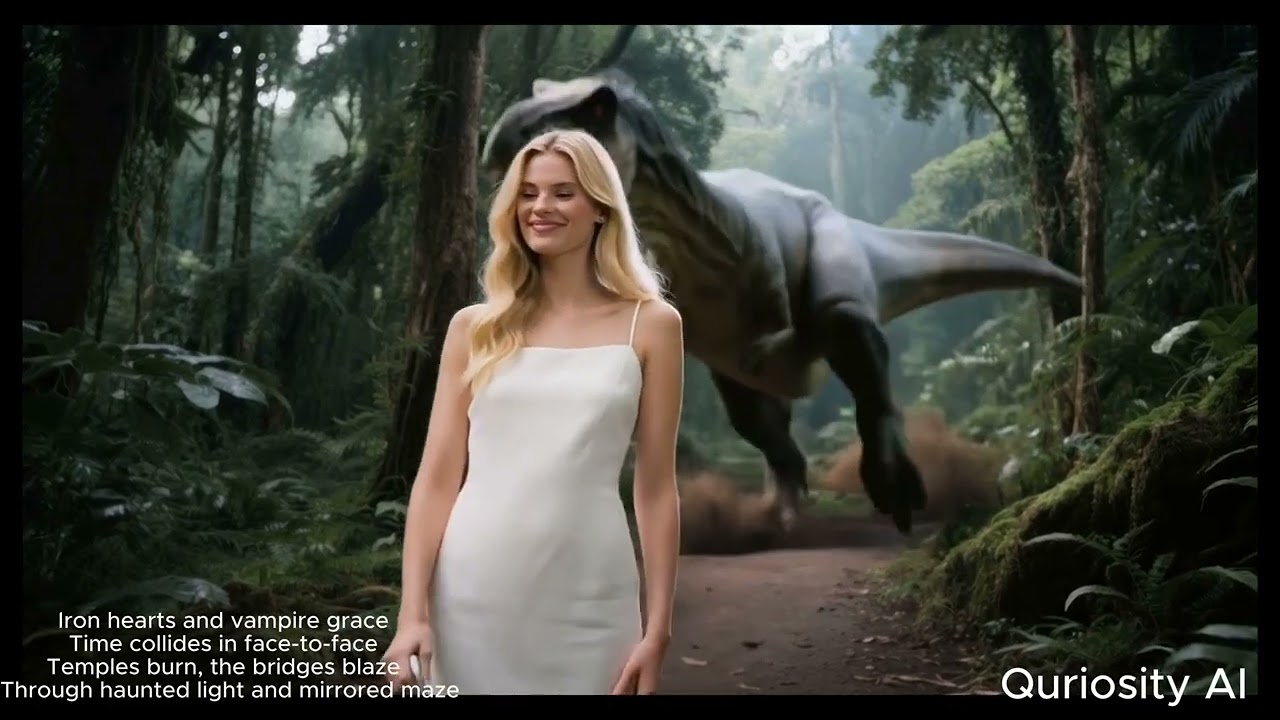
Click to watch the complete demo of AI Content Generation Suite in action
🎨 Available AI Models
40+ AI models across 8 categories - showing top picks below. See full models reference for complete list.
Text-to-Image (Top Picks)
| Model | Cost | Best For |
|-------|------|----------|
| nano_banana_pro | $0.002 | Fast & high-quality |
| gpt_image_1_5 | $0.003 | GPT-powered generation |
Image-to-Video (Top Picks)
| Model | Cost | Best For |
|-------|------|----------|
| sora_2 | $0.40-1.20 | OpenAI quality |
| kling_2_6_pro | $0.50-1.00 | Professional quality |
Text-to-Video (Top Picks)
| Model | Cost | Best For |
|-------|------|----------|
| sora_2 | $0.40-1.20 | OpenAI quality |
| kling_2_6_pro | $0.35-1.40 | Quality + audio |
💡 Cost-Saving Tip: Use
--mockflag for FREE validation:ai-content-pipeline generate-image --text "test" --mock
🏷️ Latest Release


What's New in v1.0.18
- ✅ Automated PyPI publishing via GitHub Actions
- 🔧 Consolidated setup files for cleaner package structure
- 🎯 All 40+ AI models with comprehensive parallel processing support
- 📦 Improved CI/CD workflow with skip-existing option
🚀 FLAGSHIP: AI Content Pipeline
The unified AI content generation pipeline with parallel execution support, multi-model integration, and YAML-based configuration.
Core Capabilities
- 🔄 Unified Pipeline Architecture - YAML/JSON-based configuration for complex multi-step workflows
- ⚡ Parallel Execution Engine - 2-3x performance improvement with thread-based parallel processing
- 🎯 Type-Safe Configuration - Pydantic models with comprehensive validation
- 💰 Cost Management - Real-time cost estimation and tracking across all services
- 📊 Rich Logging - Beautiful console output with progress tracking and performance metrics
AI Service Integrations
- 🖼️ FAL AI - Text-to-image, image-to-image, text-to-video, video generation, avatar creation
- 🗣️ ElevenLabs - Professional text-to-speech with 20+ voice options
- 🎥 Google Vertex AI - Veo video generation and Gemini text generation
- 🔗 OpenRouter - Alternative TTS and chat completion services
Developer Experience
- 🛠️ Professional CLI - Comprehensive command-line interface with Click
- 📦 Modular Architecture - Clean separation of concerns with extensible design
- 🧪 Comprehensive Testing - Unit and integration tests with pytest
- 📚 Type Hints - Full type coverage for excellent IDE support
📦 Installation
Quick Start
# Install from PyPI
pip install video-ai-studio

# Or install in development mode
pip install -e .
🔑 API Keys Setup
After installation, you need to configure your API keys:
-
Download the example configuration:
# Option 1: Download from GitHub curl -o .env https://raw.githubusercontent.com/donghaozhang/video-agent-skill/main/.env.example # Option 2: Create manually touch .env -
Add your API keys to
.env:# Required for most functionality FAL_KEY=your_fal_api_key_here # Optional - add as needed GEMINI_API_KEY=your_gemini_api_key_here OPENROUTER_API_KEY=your_openrouter_api_key_here ELEVENLABS_API_KEY=your_elevenlabs_api_key_here -
Get API keys from:
- FAL AI: https://fal.ai/dashboard (required for most models)
- Google Gemini: https://makersuite.google.com/app/apikey
- OpenRouter: https://openrouter.ai/keys
- ElevenLabs: https://elevenlabs.io/app/settings
📋 Dependencies
The package installs core dependencies automatically. See requirements.txt for the complete list.
🛠️ Quick Start
Console Commands
# List all available AI models
ai-content-pipeline list-models

# Generate image from text
ai-content-pipeline generate-image --text "epic space battle" --model flux_dev

# Create video (text → image → video)
ai-content-pipeline create-video --text "serene mountain lake"

# Run custom pipeline from YAML config
ai-content-pipeline run-chain --config config.yaml --input "cyberpunk city"

# Create example configurations
ai-content-pipeline create-examples

# Shortened command alias
aicp --help
Python API
from packages.core.ai_content_pipeline.pipeline.manager import AIPipelineManager

# Initialize manager
manager = AIPipelineManager()

# Quick video creation
result = manager.quick_create_video(
    text="serene mountain lake",
    image_model="flux_dev",
    video_model="auto"
)

# Run custom chain
chain = manager.create_chain_from_config("config.yaml")
result = manager.execute_chain(chain, "input text")
📚 Package Structure
Core Packages
- ai_content_pipeline - Main unified pipeline with parallel execution
Provider Packages
Google Services
- google-veo - Google Veo video generation (Vertex AI)
FAL AI Services
- fal-video - Video generation (MiniMax Hailuo-02, Kling Video 2.1)
- fal-text-to-video - Text-to-video (Hailuo Pro, Veo 3, Kling v2.6 Pro, Sora 2/Pro)
- fal-image-to-video - Image-to-video (Veo 3, Hailuo, Kling, Wan v2.6)
- fal-avatar - Avatar generation with TTS integration
- fal-text-to-image - Text-to-image (Imagen 4, Seedream v3, FLUX.1)
- fal-image-to-image - Image transformation (Luma Photon Flash)
- fal-video-to-video - Video processing (ThinksSound + Topaz)
Service Packages
- text-to-speech - ElevenLabs TTS integration (20+ voices)
- video-tools - Video processing utilities with AI analysis
🔧 Configuration
Environment Setup
Create a .env file in the project root:
# FAL AI API Configuration
FAL_KEY=your_fal_api_key

# Google Cloud Configuration (for Veo)
PROJECT_ID=your-project-id
OUTPUT_BUCKET_PATH=gs://your-bucket/veo_output/

# ElevenLabs Configuration
ELEVENLABS_API_KEY=your_elevenlabs_api_key

# Optional: Gemini for AI analysis
GEMINI_API_KEY=your_gemini_api_key

# Optional: OpenRouter for additional models
OPENROUTER_API_KEY=your_openrouter_api_key
YAML Pipeline Configuration
name: "Text to Video Pipeline"
description: "Generate video from text prompt"
steps:
  - name: "generate_image"
    type: "text_to_image"
    model: "flux_dev"
    aspect_ratio: "16:9"

  - name: "create_video"
    type: "image_to_video"
    model: "kling_video"
    input_from: "generate_image"
    duration: 8
Parallel Execution
Enable parallel processing for 2-3x speedup:
# Enable parallel execution
PIPELINE_PARALLEL_ENABLED=true ai-content-pipeline run-chain --config config.yaml
Example parallel pipeline configuration:
name: "Parallel Processing Example"
steps:
  - type: "parallel_group"
    steps:
      - type: "text_to_image"
        model: "flux_schnell"
        params:
          prompt: "A cat"
      - type: "text_to_image"
        model: "flux_schnell"
        params:
          prompt: "A dog"
      - type: "text_to_image"
        model: "flux_schnell"
        params:
          prompt: "A bird"
💰 Cost Management
Cost Estimation
Always estimate costs before running pipelines:
# Estimate cost for a pipeline
ai-content-pipeline estimate-cost --config config.yaml
Typical Costs
- Text-to-Image: $0.001-0.004 per image
- Image-to-Image: $0.01-0.05 per modification
- Text-to-Video: $0.08-6.00 per video (model dependent)
- Avatar Generation: $0.02-0.05 per video
- Text-to-Speech: Varies by usage (ElevenLabs pricing)
- Video Processing: $0.05-2.50 per video (model dependent)
Cost-Conscious Usage
- Use cheaper models for prototyping (
flux_schnell,hailuo) - Test with small batches before large-scale generation
- Monitor costs with built-in tracking
🧪 Testing
# Quick tests
python tests/run_all_tests.py --quick
📋 See tests/README.md for complete testing guide.
💰 Cost Management
Estimation
- FAL AI Video: ~$0.05-0.10 per video
- FAL AI Text-to-Video: ~$0.08 (MiniMax) to $2.50-6.00 (Google Veo 3)
- FAL AI Avatar: ~$0.02-0.05 per video
- FAL AI Images: ~$0.001-0.01 per image
- Text-to-Speech: Varies by usage (ElevenLabs pricing)
Best Practices
- Always run
test_setup.pyfirst (FREE) - Use cost estimation in pipeline manager
- Start wi
Pros
- Supports multiple AI models for diverse content generation
- Offers parallel processing for improved performance
- Comprehensive CLI for ease of use
Cons
- Complex setup process with multiple API keys
- Potentially high costs depending on usage
- Steep learning curve for new users
Related Skills
pytorch
S“It's the Swiss Army knife of deep learning, but good luck figuring out which of the 47 installation methods is the one that won't break your system.”
agno
S“It promises to be the Kubernetes for agents, but let's see if developers have the patience to learn yet another orchestration layer.”
nuxt-skills
S“It's essentially a well-organized cheat sheet that turns your AI assistant into a Nuxt framework parrot.”
Disclaimer: This content is sourced from GitHub open source projects for display and rating purposes only.
Copyright belongs to the original author donghaozhang.