
💡 Summary
Voop instantly publishes files to the web, converting markdown to styled HTML with a single command.
🎯 Target Audience
🤖 AI Roast: “Powerful, but the setup might scare off the impatient.”
The tool requires API tokens and access keys for Cloudflare R2, which could be exposed if not handled securely. Ensure that sensitive credentials are stored securely and not hard-coded in scripts.
voop
Publish files to the web instantly with a single command.

Why?
I use coding agents to create interactive HTML pages instead of static markdown docs. When you can just say "make me a visualization of this data" and get a working HTML page, you need a fast way to share it. This tool lets me go from local file to public URL in one command.
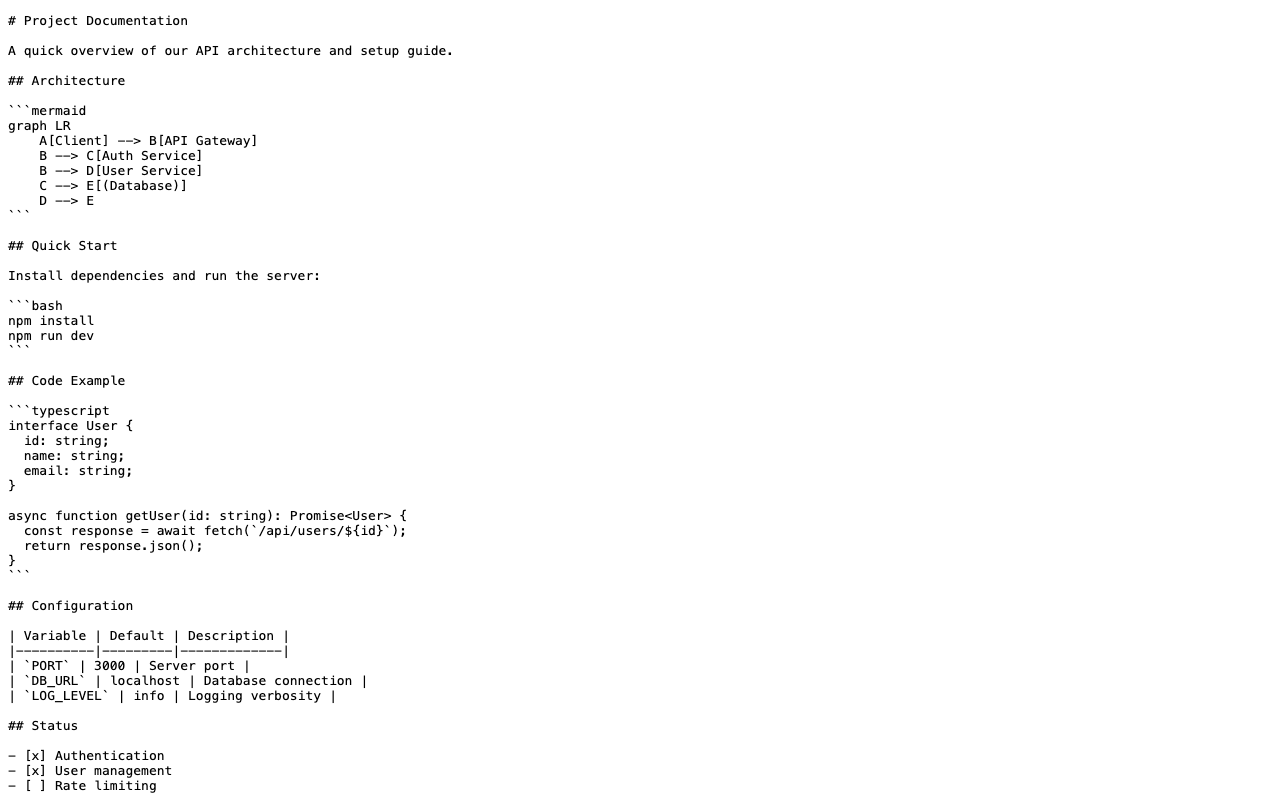
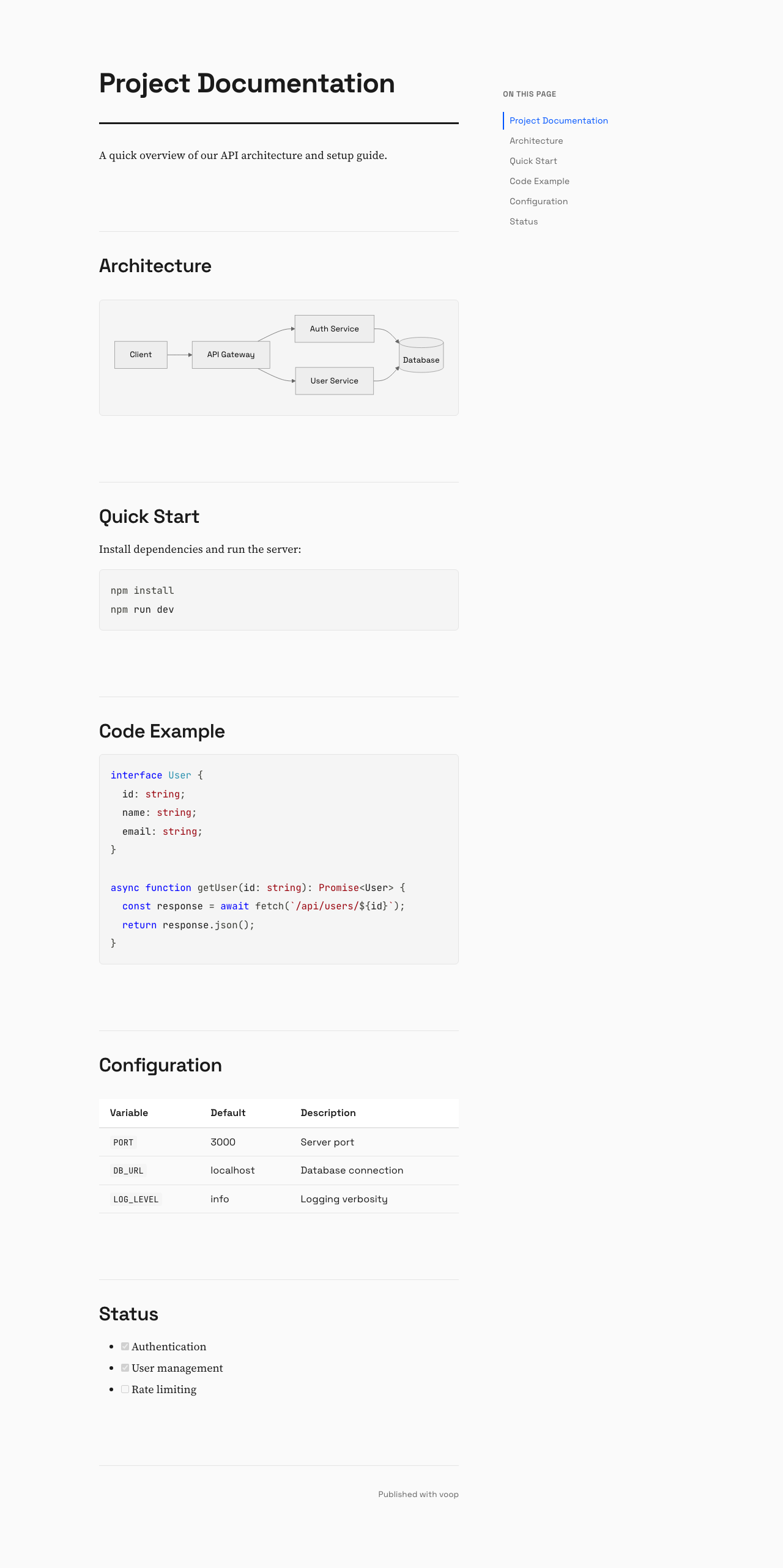
Markdown files get beautifully rendered too. Tired of sharing .md files that people have to open in a text editor? voop automatically converts markdown to styled HTML pages with:
- Syntax highlighting for code blocks
- Mermaid diagram rendering
- Table of contents sidebar
- Dark mode support
- Clean typography
Share docs with your team and they'll see properly formatted content, not raw markdown.
| Raw Markdown | Rendered HTML |
|:---:|:---:|
|  |
|  |
|
|
| voop doc.md --raw | voop doc.md |
Alternatives
| Tool | Pros | Cons | |------|------|------| | Surge.sh | Free, easy, custom domains | Don't own infra, account required | | Vercel CLI | Great DX, preview URLs | Opinionated, expects frameworks | | Netlify CLI | Feature-rich | Overkill for single files | | Cloudflare Pages | Fast CDN | Requires git/project setup | | GitHub Pages | Free | Requires repo + git push |
Why voop?
- You own the infrastructure (your R2 bucket, your rules)
- No account signup/login each time
- No git workflow or project structure required
- Files stay up forever (no expiring preview URLs)
- Single file → single URL, nothing else
npx voop index.html
# https://your-bucket.r2.dev/index-a1b2c3d4.html
# (copied)
Uses Cloudflare R2 for storage with free egress and global CDN.
Install
Run directly without installing:
npx voop <file>
# or
bunx voop <file>
Or install globally:
npm install -g voop
# or
bun install -g voop
AI Agent Skill
Install the voop skill so AI agents can use voop automatically when you ask to upload files:
npx add-skill yemyat/voop
Setup
On first run, you'll be guided through an interactive setup wizard:
npx voop myfile.html
# No configuration found. Let's set things up first.
# → Prompts for credentials...
# → Tests connection...
# → Proceeds to upload
Before running, you'll need:
- Create R2 Bucket: Cloudflare Dashboard → R2 → Create bucket → Enable public access
- Create API Token: R2 → Manage R2 API Tokens → Create with Object Read & Write permissions
The wizard will ask for:
- Cloudflare Account ID
- R2 Access Key ID
- R2 Secret Access Key
- Bucket name
- Public URL (e.g.,
https://pub-xxx.r2.dev)
Config is stored at ~/.config/voop/config.json.
Usage
voop mypage.html      # Upload a file
voop docs.md          # Markdown → styled HTML with ToC
voop docs.md --raw    # Upload raw markdown (no conversion)
voop --setup          # Reconfigure credentials
voop --test           # Test R2 connection
voop --help           # Show help
Each file gets a unique URL with a random suffix to avoid conflicts.
License
MIT
Pros
- Fast and easy file publishing
- No account setup required
- Markdown conversion with styling
- Unique URLs for each upload
Cons
- Requires Cloudflare R2 setup
- Limited to single file uploads
- Dependency on external service
- Initial setup may be confusing for some
Related Skills
pytorch
S“It's the Swiss Army knife of deep learning, but good luck figuring out which of the 47 installation methods is the one that won't break your system.”
agno
S“It promises to be the Kubernetes for agents, but let's see if developers have the patience to learn yet another orchestration layer.”
nuxt-skills
S“It's essentially a well-organized cheat sheet that turns your AI assistant into a Nuxt framework parrot.”
Disclaimer: This content is sourced from GitHub open source projects for display and rating purposes only.
Copyright belongs to the original author yemyat.