
💡 Summary
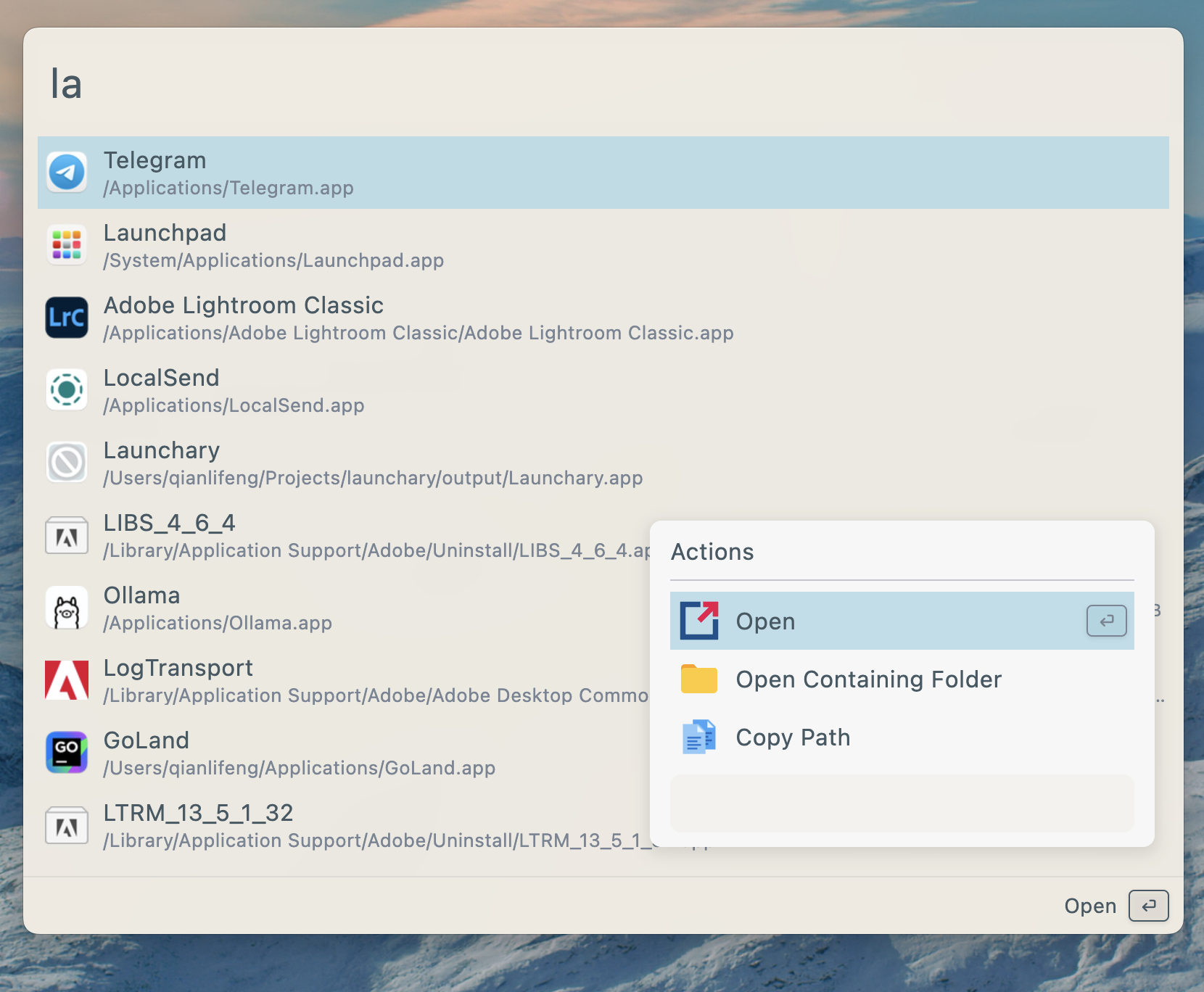
Wox is a cross-platform launcher for quickly accessing applications, files, and more.
🎯 Target Audience
🤖 AI Roast: “Wox runs as a single executable, which may expose users to risks like arbitrary code execution if the executable is tampered with. To mitigate this, users should only download from”
Wox runs as a single executable, which may expose users to risks like arbitrary code execution if the executable is tampered with. To mitigate this, users should only download from the official releases page.
Wox



Wox is a cross-platform launcher that simply works. It's an open-source alternative to Alfred and Raycast
Features
- Search for applications, folders, files and more
- AI Chat with MCP support
- Plugins and Themes
- Single executable file, no installation required
- Develop plugins with Javascript, Python
Install
| Platform | Method | Command/Instructions |
| ------------- | -------- | --------------------------------------------------------------------------------------------------------- |
| All Platforms | Manual | Download from releases and run the single executable file |
| macOS | Homebrew | brew tap wox-launcher/wox && brew install wox |
| Arch Linux | AUR | yay -S wox-bin or use your preferred AUR helper |
Linux Dependencies
| Dependency | Link | Description | Install |
| ---------- | ------------------------------------------- | -------------------------------------------- | --------------------------- |
| keybinder | https://github.com/kupferlauncher/keybinder | For recording the double modifier key hotkey | apt install keybinder-3.0 |
Due to the large number of Linux distributions, we only test Wox on Ubuntu. We cannot guarantee that it will work properly on other Linux platforms.
Usages
| Action | Shortcut | | ------------- | ---------------------------------------------------- | | Toggle App | Alt/Command + Space | | Show Actions | Alt/Command + J | | Cancel/Return | Esc |
Contribution
- First and most importantly, star it!
- Send PR
- Join discussions
Documentation
Sponsors
- SignPath sponsors our free Windows code signing.
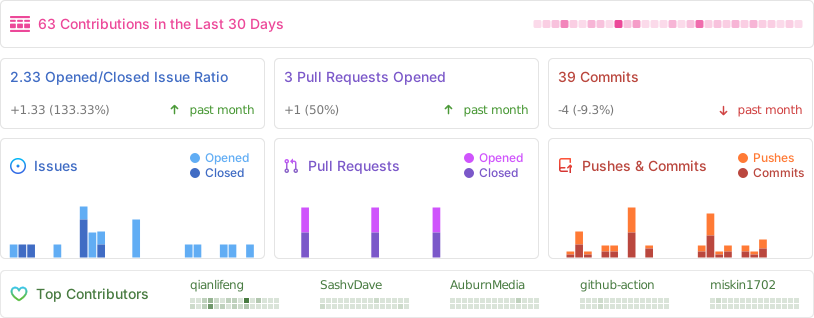
Project Activity
Pros
- Cross-platform compatibility
- Single executable file, no installation needed
- Supports plugins and themes
- AI chat functionality
Cons
- Limited testing on Linux distributions other than Ubuntu
- May require additional dependencies on Linux
- Less known compared to established alternatives
- Potential learning curve for new users
Related Skills
freshbooks-speed
A“Powerful, but the setup might scare off the impatient.”
add-skill-installer
A“It's a package manager for your AI agents, which is great until you realize you now have dependency hell for your non-sentient coworkers.”
Disclaimer: This content is sourced from GitHub open source projects for display and rating purposes only.
Copyright belongs to the original author Wox-launcher.